

Appearances
Kalim Khan; Gerard Virga; Ron Harper; John Whitbeck; Mike Kruse; Amanda Shannon; and 1 others of record
Match Courtroom Formality and Rehearse Systems
 Kalim KhanCo-founder & Senior Partner, Affinity Law
I realized virtual hearings let attorneys think they can check emails and work on other matters while judges talk when really judges notice immediately when you're not paying full attention and it destroys your credibility permanently. One associate got caught obviously reading something else when a judge asked him a direct question and his fumbling response made our entire argument look unprepared and disrespectful.
The preparation habit that works is treating virtual hearings exactly like in-person appearances by standing up, dressing professionally and eliminating all distractions from your workspace because the formality forces focus that sitting casually in your home office doesn't maintain. Clients also need explicit instructions that appearing from their car or with background noise happening makes them look like they don't take proceedings seriously regardless of the strength of their case.
What measurably improved performance was doing full tech rehearsals the day before every hearing to ensure audio, video and exhibit sharing actually worked because nothing destroys advocacy effectiveness faster than fumbling with technology while judges and opposing counsel wait impatiently for you to figure out basic screen sharing that should have been tested in advance.
Lead with Visuals and Structured Beats
 Gerard VirgaFounding Attorney, The Virga Law Firm, P.A.
The mistake I see other people make the most is treating virtual hearings as purely verbal experiences. On screen, your exhibits carry more weight because they anchor attention. I prep by turning every key document into a clean, numbered set that can be pulled up instantly, with a one-line headline for each. The goal is to guide the judge's eyes as much as their ears, so your argument feels organized and easy to follow.
I also train the team to think in beats, not speeches. Virtual settings reward structure, so make a short point, pause, confirm the judge is with you, then move on. It sounds simple, but it keeps control of the rhythm and prevents the kind of overlap or confusion that weakens otherwise solid arguments.
A habit that moved the needle for me was building a one-page "hearing map" before every session. Just the key points, exhibit references, and planned transitions. Having that visible off-camera kept me from wandering and made my delivery tighter and more deliberate, which consistently translated into stronger outcomes.
Ban Paper and Practice Aloud
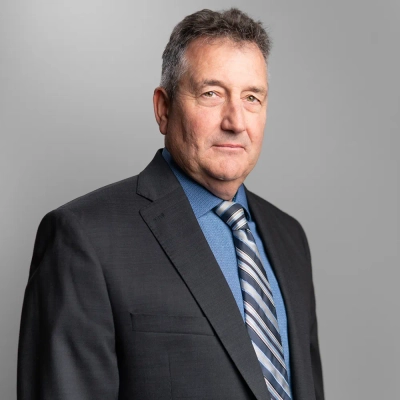 Ron HarperLicensed Paralegal/Owner, OTD Ticket Defenders Legal Services
One thing I practiced was to record a mock hearing on Zoom and and watch it back with the sound off.
It actually sounds odd. Most people will have practice runs. I did, until I saw the video on mute and noticed I was flipping pages when the other lawyer was talking. It looked like I was distracted.
So I banned paper from the frame. My team put all of the documents on a second monitor, off to the side. We practiced online with an empty desk in front of us. I did the same with every client for virtual hearings.
The trick to better performance was the dead-camera drill. I sit in front of the camera 30 minutes before each hearing, and speak aloud the entire argument, alone, and without notes. The thing is, if you cannot say it naturally then don't know it well enough. In live hearings, my retrieval speed improved because the argument was already in my mouth, not just on a page.
Judges can read body language on a nine-inch laptop screen. Stillness reads as control. Fidgeting reads as doubt.
My team started finishing virtual hearings faster than in-person ones because judges were not waiting for us to find papers, or regain our thoughts. Preparation reduced our average virtual hearing time by about 20% compared to our average in-person time last year.
Maintain Eye Contact with Camera-Level Outline
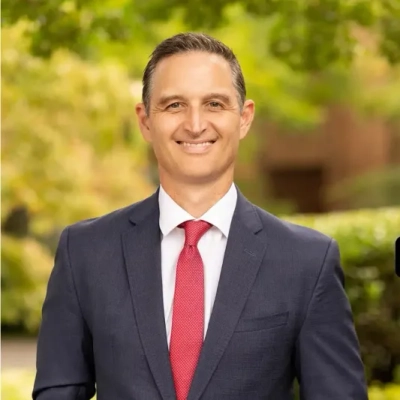 John WhitbeckManaging Partner, WhitbeckBeglis
Having presided as a Substitute Judge and Special Justice in Virginia, I have viewed virtual advocacy from both sides of the bench. I prepare my teams by treating the webcam as a "window into the courtroom," ensuring clients maintain the same formality and environment they would in a physical judicial chamber.
In complex special education due process hearings, we stage a "digital evidence hub" to practice real-time screen-sharing of IEPs and medical records. This eliminates technical fumbling that distracts the court and ensures the focus remains entirely on the child's specific legal needs and evidence.
One habit that measurably improved my performance is using **Microsoft OneNote** for a "Camera-Level Outline" positioned directly behind my webcam. This allows me to maintain constant eye contact with the judge while referencing complex asset timelines or commitment criteria, which projects a level of preparation and authority often lost in remote settings.
I also conduct a "Platform Audit" 24 hours prior to every hearing to verify that lighting and audio are optimized for the court's specific software. Eliminating technical friction allows us to focus on strategic advocacy for family stability rather than troubleshooting connections during high-stakes civil or mental health hearings.
Tune Setup and Review Yourself
 Mike KruseCriminal and DUI Lawyer, Kruse Law
Every time I have a virtual hearing with a client, the first thing I do is tell them that a judge is still going to be watching you very closely, even though you may be looking at them through a screen. I find that clients can get too comfortable at home and you can see that comfort on camera in many ways. I have found clients to show up to court for remote bail hearings with very low lighting, sitting back away from their camera, and looking at everything except for the lens. In doing criminal law and DUI cases, something like that will certainly not go unnoticed by a judge. As a result of that, we go through the entire setup together before the hearing to discuss lighting, camera angle, and where the client's eyes will be looking. It is just as if I were preparing an individual for any other court appearance, and applying that same information to the other setting, which is virtual.
Along with that, one thing that changed the way I prepare for a virtual hearing is recording my own run-throughs leading up to the virtual hearing. Once courts started to go to remote proceedings, I started to play those recordings back the next day, and I saw many things I never noticed. You think you are expressing yourself clearly, but a camera will pick up things you will never see in real-time. It may include pacing, where your eyes look, how long you take pauses between points, etc. From that point on, I have always done this before any major DUI or criminal hearing because when doing this type of work, how you present yourself on screen is not separate from your argument, it goes hand-in-hand.
Deleted by user
Send Prep Packets and Mandate Tech Checks
Running a sign language interpreting agency that serves federal agencies, courts, and government hearings puts me directly inside this problem every week. When the setting goes remote or hybrid, the communication chain gets longer and the margin for error shrinks.
The single habit that measurably improved performance in virtual hearings was sending a prep packet to every party before the session, including the interpreter. That means the agenda, case-specific terminology, and a quick tech check walkthrough. When our interpreters walk in knowing the vocabulary and the platform, there are no fumbling moments where meaning gets lost mid-testimony.
For clients advocating on screen, I always coach them to position their camera at eye level and keep their face and upper body fully visible. In ASL interpreting, losing sight of hand placement or facial expression is like cutting out half the sentence. A Deaf participant or their interpreter working through VRI needs clean visual access or the whole session breaks down.
The hardest lesson we learned was that compliance alone is not preparation. An agency can book a certified interpreter and still have a failed hearing because nobody tested the video platform or confirmed bandwidth in advance. We now treat the tech check as non-negotiable, the same way a court reporter tests their equipment before the room fills.
Uphold Decorum and Mirror In-Person Standards
 Kristopher HelmickFounding Partner, Pacific West Injury Law
We like to remind both our attorneys, and particularly our clients, that the same professionalism and decorum expected in court should guide every hearing, regardless of its format.
Remote hearings, by their nature, can feel impersonal, and clients may become overly relaxed or underprepared. It is important to reinforce that, even without appearing in person, judges still scrutinize appearance and behavior. If we or our clients lower our standards of courtroom etiquette simply because we are not physically present, it can have a negative effect on our ability to advocate effectively.
For that reason, every hearing should be taken seriously. Preparation should mirror what we would do for an in-person appearance, with the all the same attention to detail and conduct. So, before every remote hearing it's absolutely essential to reinforce the idea that the convenience of remote proceedings does not lessen their importance. This ensures both we and our clients present our best selves during court proceedings.